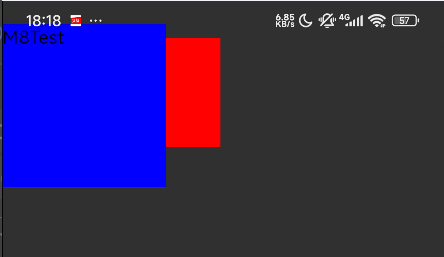
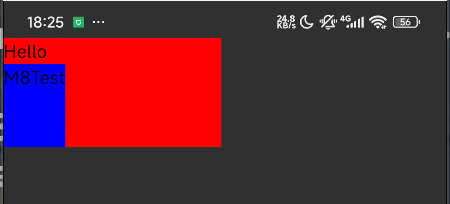
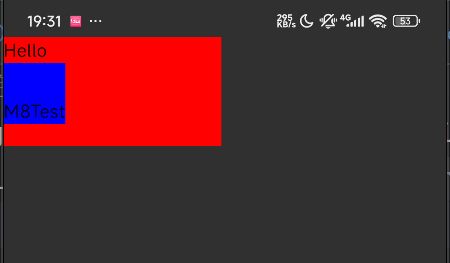
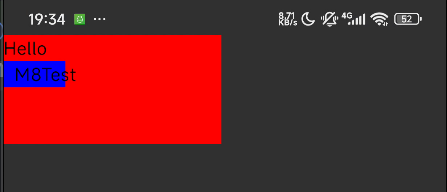
如前文的内边距和尺寸部分所述,默认情况下,可组合项的尺寸由其封装的内容定义。您可以使用仅可在 RowScope 和 ColumnScope 中使用的 weight 修饰符,将可组合项的尺寸设置为可在其父项内灵活调整。
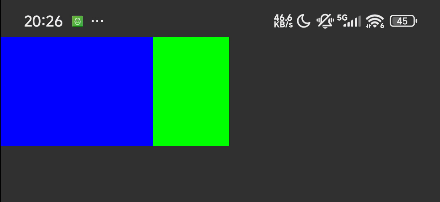
让我们以包含两个 Box 可组合项的 Row 为例。第一个框的 weight 是第二个框的两倍,因此其宽度也相差两倍。由于 Row 的宽度为 210.dp,因此第一个 Box 的宽度为 140.dp,第二个的宽度为 70.dp:
import com.m8test.script.GlobalVariables.*
fun side1Run() {
// 创建一个 ComposeView, 可以通过声明式ui创建脚本界面
_composeView.create {
// 插槽(Slot)是一种内容分发机制。它允许你在封装一个通用组件时,在组件内部预留一些“坑位”或“插槽”,然后让使用该组件的父组件来决定这些“坑位”里到底填充什么内容。
Row {
// 设置 Row 的修饰符
setModifier {
// 这里加个背景色是为了更好的展示效果
background({ setRed(255) }, { shapes -> shapes.getRectangleShape() })
size { it.createSize(it.fromInt(210), it.fromInt(100)) }
}
setContent {
Box {
setModifier {
fillMaxHeight(1f)
weight(2.0f, true)
background({ setBlue(255) }, { shapes -> shapes.getRectangleShape() })
}
}
Box {
setModifier {
fillMaxHeight(1f)
weight(1.0f, true)
background({ setGreen(255) }, { shapes -> shapes.getRectangleShape() })
}
}
}
}
}
// 启动一个Activity用于显示脚本界面
_activity.start()
}
//-m8test-remove side1Run();
// 创建一个 ComposeView, 可以通过声明式ui创建脚本界面
$composeView.create { slot ->
// 插槽(Slot)是一种内容分发机制。它允许你在封装一个通用组件时,在组件内部预留一些“坑位”或“插槽”,然后让使用该组件的父组件来决定这些“坑位”里到底填充什么内容。
slot.Row { row ->
// 设置 Row 的修饰符
row.setModifier { modifier ->
// 这里加个背景色是为了更好的展示效果
modifier.background({ it.setRed(255) }, { shapes -> shapes.getRectangleShape() })
modifier.size { it.createSize(it.fromInt(210), it.fromInt(100)) }
}
row.setContent { rowSlot ->
rowSlot.Box { box ->
box.setModifier { modifier ->
modifier.fillMaxHeight(1f)
modifier.weight(2.0f, true)
modifier.background({ it.setBlue(255) }, { shapes -> shapes.getRectangleShape() })
}
}
rowSlot.Box { box ->
box.setModifier { modifier ->
modifier.fillMaxHeight(1f)
modifier.weight(1.0f, true)
modifier.background({ it.setGreen(255) }, { shapes -> shapes.getRectangleShape() })
}
}
}
}
}
// 启动一个Activity用于显示脚本界面
$activity.start()
// 创建一个 ComposeView, 可以通过声明式ui创建脚本界面
$composeView.create(slot => {
// 插槽(Slot)是一种内容分发机制。它允许你在封装一个通用组件时,在组件内部预留一些“坑位”或“插槽”,然后让使用该组件的父组件来决定这些“坑位”里到底填充什么内容。
slot.Row(row => {
// 设置 Row 的修饰符
row.setModifier(modifier => {
// 这里加个背景色是为了更好的展示效果
modifier.background(it => it.setRed(255), shapes => shapes.getRectangleShape());
modifier.size(it => it.createSize(it.fromInt(210), it.fromInt(100)));
});
row.setContent(rowSlot => {
rowSlot.Box(box => {
box.setModifier(modifier => {
modifier.fillMaxHeight(1.0);
modifier.weight(2.0, true);
modifier.background(it => it.setBlue(255), shapes => shapes.getRectangleShape());
});
});
rowSlot.Box(box => {
box.setModifier(modifier => {
modifier.fillMaxHeight(1.0);
modifier.weight(1.0, true);
modifier.background(it => it.setGreen(255), shapes => shapes.getRectangleShape());
});
});
});
});
});
// 启动一个Activity用于显示脚本界面
$activity.start();
-- 创建一个 ComposeView, 可以通过声明式ui创建脚本界面
_composeView:create(function(slot)
-- 插槽(Slot)是一种内容分发机制。它允许你在封装一个通用组件时,在组件内部预留一些“坑位”或“插槽”,然后让使用该组件的父组件来决定这些“坑位”里到底填充什么内容。
slot:Row(function(row)
-- 设置 Row 的修饰符
row:setModifier(function(modifier)
-- 这里加个背景色是为了更好的展示效果
modifier:background(function(it) it:setRed(255) end, function(shapes) return shapes:getRectangleShape() end)
modifier:size(function(it) return it:createSize(it:fromInt(210), it:fromInt(100)) end)
end)
row:setContent(function(rowSlot)
rowSlot:Box(function(box)
box:setModifier(function(modifier)
modifier:fillMaxHeight(1.0)
modifier:weight(2.0, true)
modifier:background(function(it) it:setBlue(255) end, function(shapes) return shapes:getRectangleShape() end)
end)
end)
rowSlot:Box(function(box)
box:setModifier(function(modifier)
modifier:fillMaxHeight(1.0)
modifier:weight(1.0, true)
modifier:background(function(it) it:setGreen(255) end, function(shapes) return shapes:getRectangleShape() end)
end)
end)
end)
end)
end)
-- 启动一个Activity用于显示脚本界面
_activity:start()
<?php
/** @var m8test_java\com\m8test\script\core\api\ui\compose\ComposeView $composeView */
global $composeView;
/** @var m8test_java\com\m8test\script\core\api\ui\Activity $activity */
global $activity;
// 创建一个 ComposeView, 可以通过声明式ui创建脚本界面
$composeView->create(function ($slot) {
// 插槽(Slot)是一种内容分发机制。它允许你在封装一个通用组件时,在组件内部预留一些“坑位”或“插槽”,然后让使用该组件的父组件来决定这些“坑位”里到底填充什么内容。
$slot->Row(function ($row) {
// 设置 Row 的修饰符
$row->setModifier(function ($modifier) {
// 这里加个背景色是为了更好的展示效果
$modifier->background(
function ($it) { $it->setRed(255); },
function ($shapes) { return $shapes->getRectangleShape(); }
);
$modifier->size(function ($it) {
return $it->createSize($it->fromInt(210), $it->fromInt(100));
});
});
$row->setContent(function ($rowSlot) {
$rowSlot->Box(function ($box) {
$box->setModifier(function ($modifier) {
$modifier->fillMaxHeight(1.0);
$modifier->weight(2.0, true);
$modifier->background(
function ($it) { $it->setBlue(255); },
function ($shapes) { return $shapes->getRectangleShape(); }
);
});
});
$rowSlot->Box(function ($box) {
$box->setModifier(function ($modifier) {
$modifier->fillMaxHeight(1.0);
$modifier->weight(1.0, true);
$modifier->background(
function ($it) { $it->setGreen(255); },
function ($shapes) { return $shapes->getRectangleShape(); }
);
});
});
});
});
});
// 启动一个Activity用于显示脚本界面
$activity->start();
# 导入所需的全局变量
from m8test_java.com.m8test.script.GlobalVariables import _composeView
from m8test_java.com.m8test.script.GlobalVariables import _activity
# 创建一个 ComposeView, 可以通过声明式ui创建脚本界面
_composeView.create(lambda slot: (
# 插槽(Slot)是一种内容分发机制。它允许你在封装一个通用组件时,在组件内部预留一些“坑位”或“插槽”,然后让使用该组件的父组件来决定这些“坑位”里到底填充什么内容。
slot.Row(lambda row: (
# 设置 Row 的修uschina-pro修饰符
row.setModifier(lambda modifier: (
# 这里加个背景色是为了更好的展示效果
modifier.background(lambda it: it.setRed(255), lambda shapes: shapes.getRectangleShape()),
modifier.size(lambda it: it.createSize(it.fromInt(210), it.fromInt(100)))
)),
row.setContent(lambda rowSlot: (
rowSlot.Box(lambda box: (
box.setModifier(lambda modifier: (
modifier.fillMaxHeight(1.0),
modifier.weight(2.0, True),
modifier.background(lambda it: it.setBlue(255), lambda shapes: shapes.getRectangleShape())
))
)),
rowSlot.Box(lambda box: (
box.setModifier(lambda modifier: (
modifier.fillMaxHeight(1.0),
modifier.weight(1.0, True),
modifier.background(lambda it: it.setGreen(255), lambda shapes: shapes.getRectangleShape())
))
))
))
))
))
# 启动一个Activity用于显示脚本界面
_activity.start()
# encoding: utf-8
# 创建一个 ComposeView, 可以通过声明式ui创建脚本界面
$composeView.create do |slot|
# 插槽(Slot)是一种内容分发机制。它允许你在封装一个通用组件时,在组件内部预留一些“坑位”或“插槽”,然后让使用该组件的父组件来决定这些“坑位”里到底填充什么内容。
slot.Row do |row|
# 设置 Row 的修饰符
row.setModifier do |modifier|
# 这里加个背景色是为了更好的展示效果
modifier.background(lambda { |it| it.setRed(255) }, lambda { |shapes| shapes.getRectangleShape() })
modifier.size { |it| it.createSize(it.fromInt(210), it.fromInt(100)) }
end
row.setContent do |rowSlot|
rowSlot.Box do |box|
box.setModifier do |modifier|
modifier.fillMaxHeight(1.0)
modifier.weight(2.0, true)
modifier.background(lambda { |it| it.setBlue(255) }, lambda { |shapes| shapes.getRectangleShape() })
end
end
rowSlot.Box do |box|
box.setModifier do |modifier|
modifier.fillMaxHeight(1.0)
modifier.weight(1.0, true)
modifier.background(lambda { |it| it.setGreen(255) }, lambda { |shapes| shapes.getRectangleShape() })
end
end
end
end
end
# 启动一个Activity用于显示脚本界面
$activity.start()